

Introduction
Imagine building a device that can read sensors, control motors, communicate wirelessly, host a webpage, and even run a game on a colour display.
Now imagine doing all of that with a small development board that fits in the palm of your hand.
Whether you’re an electronics student exploring embedded systems for the first time or someone who wants to turn an idea into a working prototype, the ESP32 is a great platform to experiment with.
In this article, we’ll explore what the ESP32 is, what makes it useful, how it differs from a conventional Arduino Uno, and what we’ll be building throughout this series.
By the end, you’ll have a clearer idea of why the ESP32 is worth learning — and where to begin.
What exactly is the ESP32?
The ESP32 is a family of microcontrollers developed by Espressif Systems.
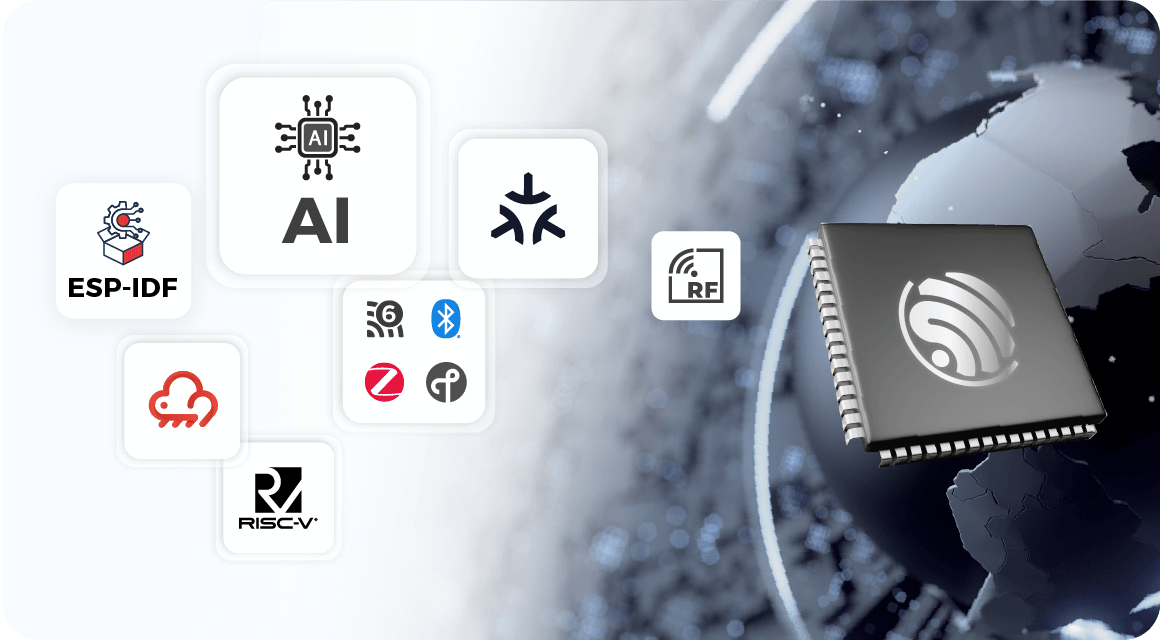
A microcontroller is essentially a small computer designed to interact with the physical world. It executes a program, reads inputs, processes information, and controls outputs.
For example, consider an automatic water-level controller.
- An ultrasonic sensor measures the distance to the water surface.
- The microcontroller processes that measurement.
- A decision-making routine determines whether the water level has crossed a threshold.
- A motor or pump is switched accordingly.
The ESP32 can perform these operations while also providing wireless connectivity, making it particularly useful for connected embedded systems.
Unlike a general-purpose computer, it is designed for direct interaction with electronics and peripherals.
And unlike a basic microcontroller setup that relies on an additional wireless module, the classic ESP32 used in this series already supports Wi-Fi and Bluetooth.That’s where things start getting interesting.
What makes the ESP32 special?
The ESP32 isn’t interesting simply because it can execute code. Plenty of microcontrollers can do that.
Its appeal comes from combining processing, peripheral interfaces, and wireless communication in a compact platform.
Here are some of its most useful features.
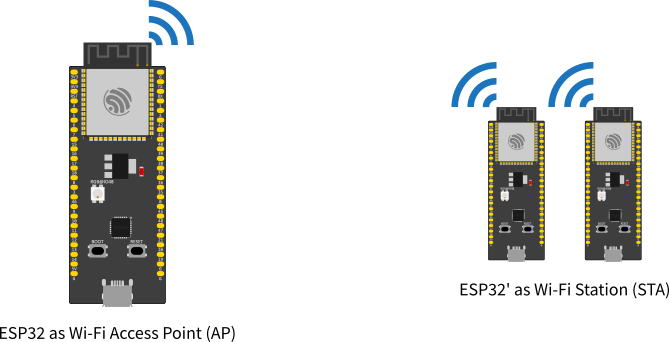
Wi-Fi and Bluetooth
The classic ESP32 supports Wi-Fi and Bluetooth, including Bluetooth Low Energy.
This allows us to build devices that communicate with other systems without requiring a separate wireless module for those functions.
For example, we could create a sensor that sends measurements over Wi-Fi or a device controlled through a wireless interface.
GPIO — interacting with the physical world
General-purpose input/output pins, or GPIOs, allow the ESP32 to interact with external circuits.
We can use them to:
- Read push buttons and digital sensors.
- Control LEDs and other suitable digital outputs.
- Generate control signals for external hardware.
- Interface with supported peripherals.
GPIO is one of the first concepts we’ll explore because almost every embedded project depends on it.
ADC and PWM
The ESP32 also provides useful facilities for working with analog measurements and controlled outputs.
-
ADC (Analog-to-Digital Converter) allows supported analog input signals to be converted into digital measurements.
-
PWM (Pulse-Width Modulation) allows us to control the duty cycle of a signal, which is useful for applications such as LED brightness control and suitable motor-control circuits.
These features help bridge the gap between software instructions and real-world electronics.
Communication interfaces
The ESP32 supports several peripheral communication interfaces, including:
- UART: commonly used for serial communication and debugging.
- SPI: often used with displays and high-speed peripheral devices.
- I²C: commonly used to connect sensors and other peripherals.
We’ll encounter these interfaces as we progress through the series.
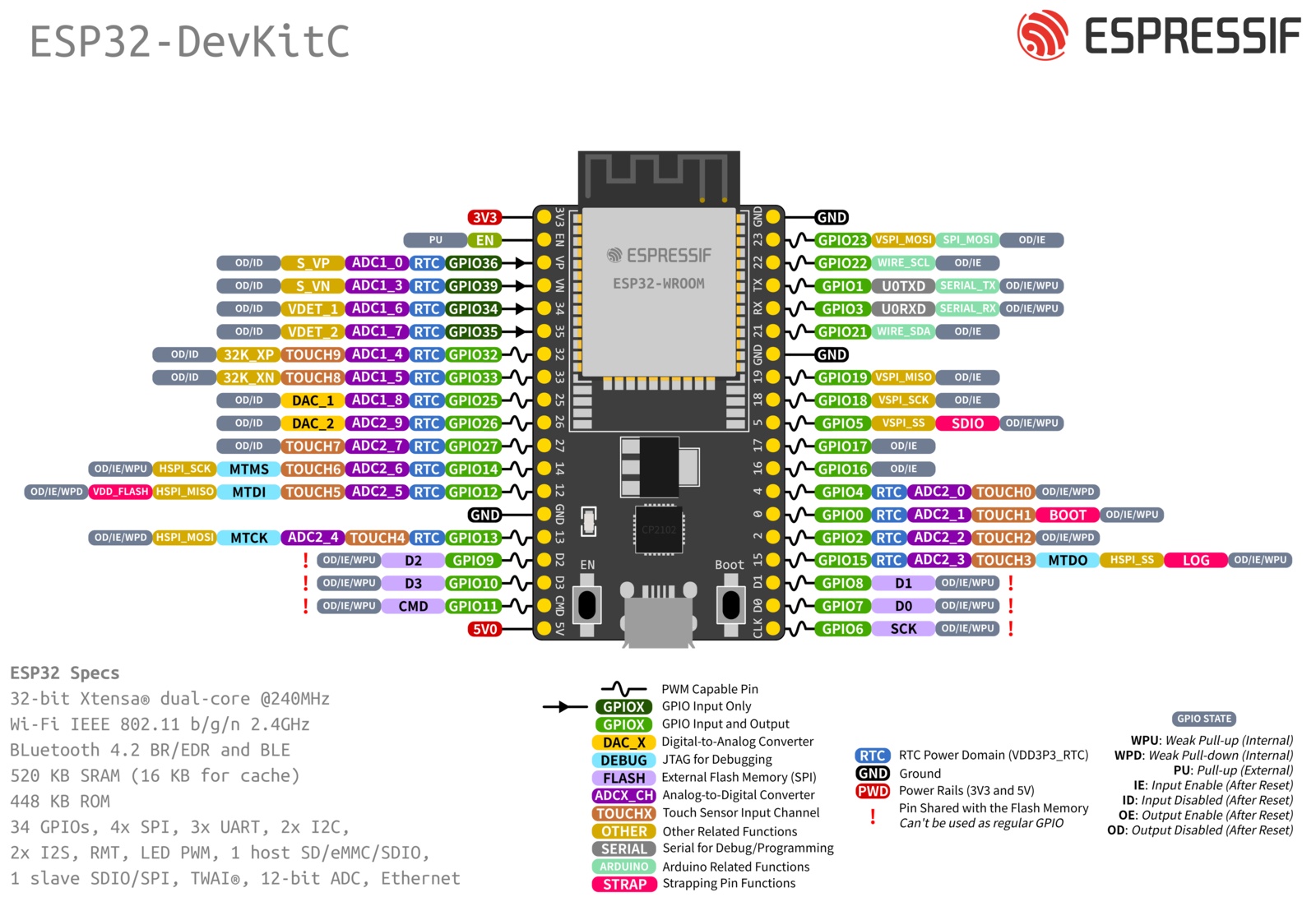
The exact capabilities, pin availability, and limitations depend on the particular ESP32 variant and development board.
Which ESP32 board are we using?
For this series, we’ll be working with the classic ESP32 DevKit boards built around the ESP32-WROOM-32 module.
There are different development-board layouts available, including commonly encountered 30-pin and 38-pin versions.
Although these boards can look very similar, their exposed pins and physical layouts may differ.
This matters when following a circuit diagram: a GPIO number in the code does not necessarily correspond to the same physical header position on every board.
Before connecting a circuit, always identify your board and verify its pinout.
Hardware used in this series
- ESP32 DevKit — 38-pin version: Click Here!
- ESP32 DevKit — 30-pin version: Click Here!
We’ll cover the pinout, power connections, and important GPIO limitations in the next article. If you only want to buy one, go ahead with the 38-pin version.
ESP32 vs Arduino Uno: What’s the difference?
If you’ve experimented with electronics before, you may have encountered the Arduino Uno.
Both the Uno and ESP32 can read sensors, control outputs, and run embedded programs. However, they have different hardware capabilities and design trade-offs.
| Feature | Classic Arduino Uno R3 | Classic ESP32 |
|---|---|---|
| Main controller | ATmega328P | ESP32 family SoC |
| CPU architecture | 8-bit AVR | 32-bit Xtensa LX6 |
| Wireless connectivity | No built-in Wi-Fi or Bluetooth | Built-in Wi-Fi and Bluetooth |
| Logic voltage | 5 V | 3.3 V |
| Development options | Arduino IDE and other supported workflows | Arduino IDE, PlatformIO and other supported workflows |
| Typical applications | Basic embedded learning and control | Embedded control, connected devices and more demanding applications |
So, which one should you use?
That depends on the project.
The Uno remains an excellent learning platform, especially for understanding fundamental embedded concepts. The ESP32 becomes particularly attractive when a project needs wireless connectivity, additional processing capability, or a wider range of integrated peripherals.
Neither board is automatically the better choice for every application.
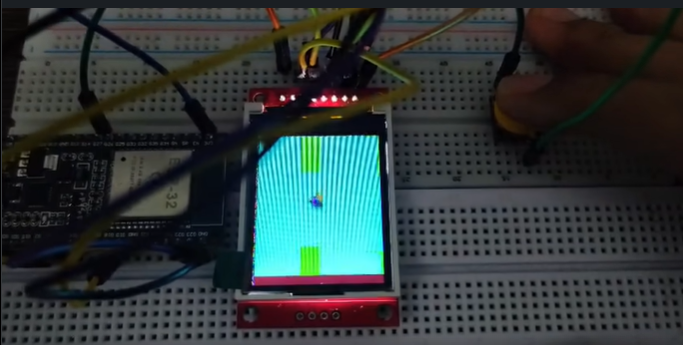
For this series, we’ll use the ESP32 because it gives us an opportunity to explore both conventional embedded programming and more ambitious projects.
What can we actually build with it?
This is where the ESP32 becomes much more exciting than a list of specifications.
Instead of stopping at blinking an LED, we’ll gradually work towards complete projects.
Arcade games on a microcontroller
We’ll build two familiar games: Breakout and Flappy Bird.
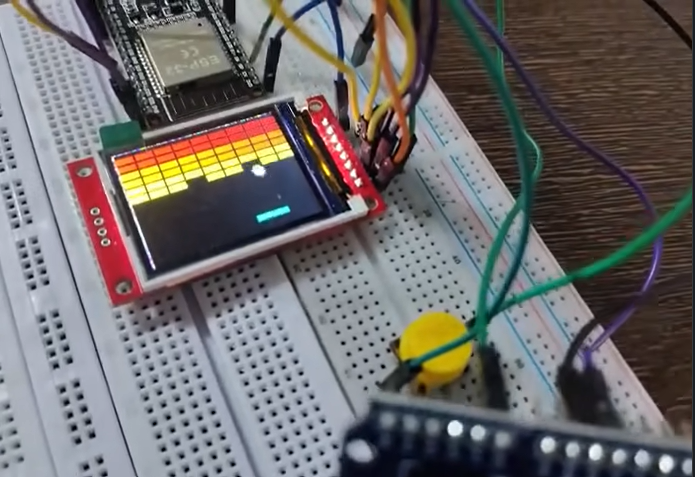
Using a colour TFT display, we’ll explore how to draw graphics, handle player input, update game states, detect collisions, and maintain a responsive game loop.
These projects will also demonstrate that embedded programming isn’t limited to sensors and automation.
Wireless control systems
We’ll explore how the ESP32 can connect to a Wi-Fi network and communicate with other devices.
That opens the door to browser-based control panels, remote monitoring, and interactive embedded systems.
Sensors and automation
We’ll also explore how measurements from external sensors can be processed by the ESP32 to make decisions and control hardware.
The aim is to understand the complete chain:
Physical input → Measurement → Processing → Decision → Output
By connecting these concepts, we can move from isolated experiments to functional embedded systems.
What you’ll need to get started
You don’t need an entire electronics laboratory to begin.
For the initial articles, we’ll focus on the ESP32 development board and the software required to program it.
As we progress, we’ll introduce the components needed for individual projects.
Hardware
- An ESP32 DevKit board.
- A suitable USB data cable.
- A computer.
- Additional components as required by each experiment.
Software
- Visual Studio Code.
- The PlatformIO IDE extension.
- The appropriate ESP32 platform and project dependencies.
We’ll cover the complete installation and configuration process in the upcoming development-environment tutorial, including creating a project, uploading code, and using the serial monitor.
You won’t need to configure everything before continuing with this introduction.
Where this series goes next
We’ll follow a practical learning path, starting with the hardware and gradually moving towards complete projects.
- ESP32 Explained: What it is and what you can build with it.
- ESP32 Pinout: Understanding GPIO, ADC, PWM, and communication interfaces.
- VS Code + PlatformIO: Setting up the development environment.
- Your First ESP32 Program: GPIO and serial debugging.
- Reading Inputs and Controlling Outputs: Buttons, ADC, and PWM.
- Organizing ESP32 Projects: Understanding project structure and reusable code.
- Building Breakout: Our first arcade game.
- Building Flappy Bird:* Gravity, obstacles, and collision detection.
- Understanding Game Loops: The programming concepts behind both games.
- Project Source Code: Accessing and modifying the completed projects.
Later, we’ll move into Wi-Fi, web interfaces, sensors, and integrated systems.
The goal isn’t just to copy code and make something work. It’s to understand the components well enough to modify them, debug them, and eventually build something of your own.
Source code and project resources will be shared through a GitHub repository as the projects are published.
Conclusion
The ESP32 is a compact platform that brings together embedded processing, peripheral interfaces, and wireless connectivity.
That combination makes it useful for everything from simple electronics experiments to connected devices and interactive projects.
Throughout this series, we’ll explore those capabilities through practical implementations rather than treating the board as just another collection of specifications.
And our first major projects won’t be another blinking LED experiment.
We’re going to build arcade games.
In the next article, we’ll examine the ESP32 DevKit pinout, understand what the pins actually do, and learn which ones to use — and which ones to be careful with.
Next up: ESP32 Pinout Explained — GPIO, ADC, PWM, SPI and I²C.
Have you worked with an ESP32 before, or will this be your first project? Let me know in the comments.
References
Hardware links and project repository links will be added as the corresponding resources are finalized.
Comments
Share your thoughts, questions, or corrections below. Be kind and keep it on-topic ✨